

How to Reduce Ping: An Easy Guide for Faster Games
Quick answer: how to reduce ping
Yes, you can lower your ping fast, and most fixes take only a few minutes. To learn how to reduce ping the easy way, plug in an Ethernet cable, restart your router, close background downloads, and pick a game server close to you. The full guide below shows you how to reduce ping step by step, so your games run smooth with no lag.
What Is Ping and Why Does It Matter?
Ping is the time it takes for data to travel from your device to a server and back again. It is measured in milliseconds, which we write as ms. A low ping means your game reacts fast. A high ping makes your game feel slow, and your character may freeze or jump around the screen. Learning to lower your ping is the first step to smooth play, because even a fast internet plan can feel slow when your ping is high.
Here is what the numbers mean for gaming.
- Under 20 ms is great, and your game will feel instant.
- 20 to 50 ms is good, and most players will not notice any lag.
- 50 to 100 ms is playable, but you may feel a small delay.
- Over 100 ms feels laggy, and fast games become hard to play.
Your ping depends on your connection type, how far the server is, and how busy your home network is. Is higher ping good or bad? Lower is always better, because a low ping means your game reacts fast. So when you hear about high or low ping, low always wins. The good news is that you can fix most ping problems at home with no new gear. For more easy tech guides, browse our Tech and Computers tips.
What Do You Need?
You do not need special tools to learn how to reduce ping. Here is the full list.
- Your PC, Xbox, PS5, or other gaming device
- Your router and modem
- An Ethernet cable if you want the fastest fix
- A few minutes of time
How to Reduce Ping in 7 Easy Steps
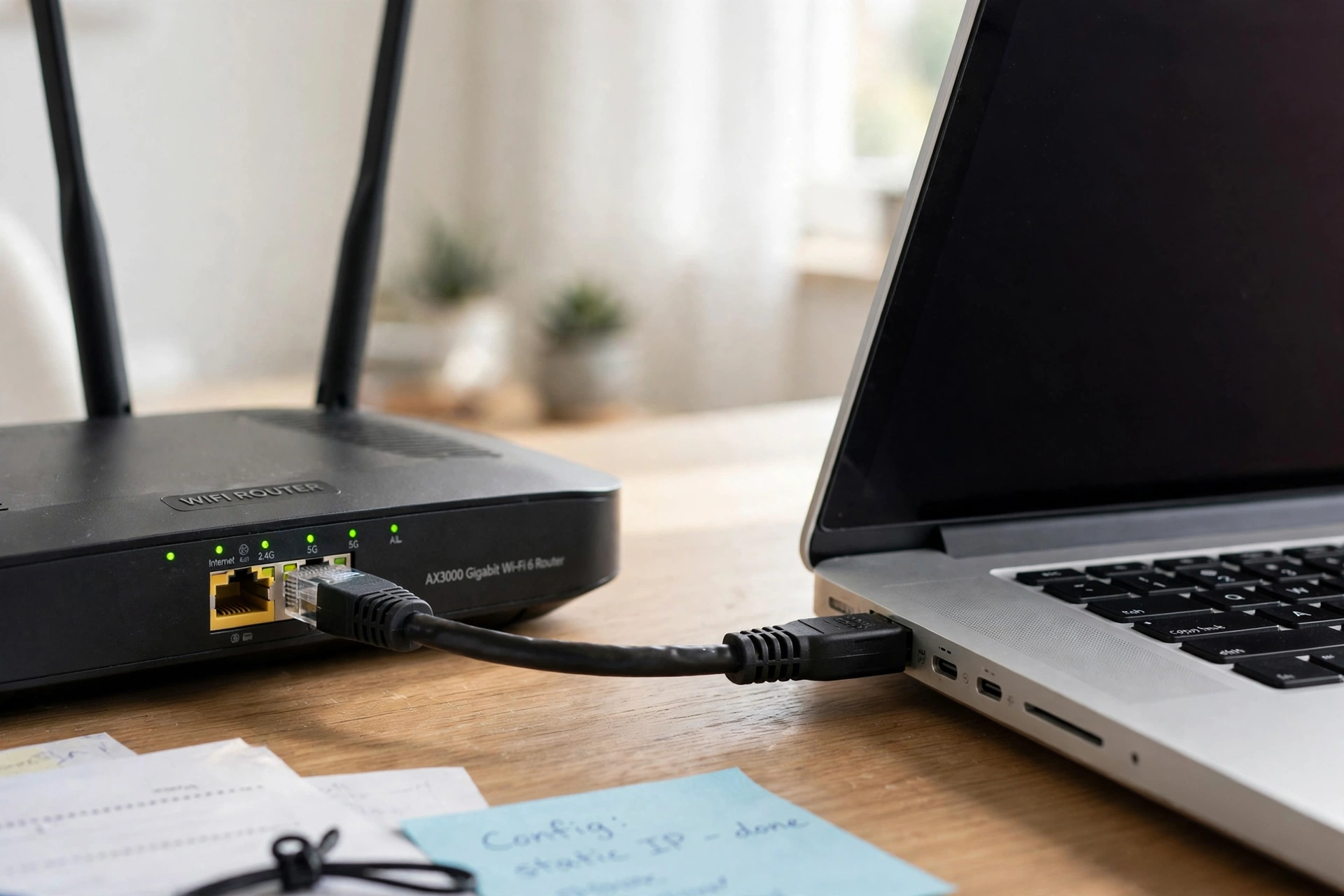
This is the full method for how to reduce ping on any device. Follow these steps to learn how to get lower ping on any device. Read the steps once, then start.
Step 1: Plug In an Ethernet Cable
A wired cable is the fastest fix for high ping. WiFi can drop and slow down when walls, distance, or other devices get in the way. A cable gives you a direct and steady link to your router. The first step in how to reduce ping is to plug one end of the cable into your PC or console and the other end into your router.
Step 2: Restart Your Router and Your Device
Turn off your router, wait 30 seconds, then turn it back on. Do the same for your PC or console. A restart clears old data, drops stuck connections, and gives you a fresh link to your internet provider. Many people fix a sudden high ping with this one step alone. If you want a full guide, read how to reset router for the safe way to do it.
Step 3: Close Background Downloads, Updates, and Streaming
Downloads, game updates, cloud backups, and video streams all use your internet at the same time as your game. That traffic pushes your ping up. Close downloads and pause updates before you play. Ask others in your home to pause big streams while you play. This is a key part of how to reduce ping well, and it costs nothing.
Step 4: Pick a Game Server Close to You
Every online game lets you pick a server region, like US East, US West, or Europe. Pick the region closest to where you live. A far server adds travel time to every move you make in the game. In Roblox, you can pick a server close to you when you join a game. A close server is one of the best ways to learn how to lower ping in games.
Step 5: Move Closer to the Router or Switch to 5 GHz
If you must use WiFi, sit close to your router with as few walls between you as you can. Most routers send out two WiFi bands: 2.4 GHz and 5 GHz. The 5 GHz band is faster and better for gaming when you are in the same room as the router. Join the 5 GHz network on your device for the best wifi ping.
Step 6: Update Your Drivers and Router Firmware
Old network drivers on a PC can slow your connection and cause high ping. Check for driver updates in Windows Update or on the website of your PC maker. Your router also has software called firmware, and old firmware can cause drops and lag. Log in to your router settings and check for a firmware update. Keeping both updated is a smart part of how to reduce ping the right way.
Step 7: Test Your Ping and Check the Result
Now test your ping to see if it went down. Run a ping test on a speed test site, or check the network stats inside your game. Most games show your ping in the corner of the screen or in the settings menu. If your ping is under 50 ms, you are in good shape. If it is still over 100 ms, go back through the steps and check for downloads or a far server. These small steps are the last step in how to reduce ping from start to finish. For console-specific help, see Xbox’s guide to troubleshooting network connection speed.
Ways to Lower Ping: Which One Works Best?

If you want to know how to improve ping fast, here is how each method stacks up.
- Wired Ethernet cable: best for fast and steady ping, costs a few dollars for a cable, takes 2 minutes.
- Close background apps and downloads: best free fix, costs nothing, takes 1 minute.
- Pick a close server: best for online games, costs nothing, takes 1 minute in game settings.
- Restart your router: best for sudden high ping, costs nothing, takes 2 minutes.
- Move closer to the router or use 5 GHz: best for WiFi players, costs nothing, takes 1 minute.
- Update drivers and firmware: best for old setups, costs nothing, takes 10 minutes.
If you can only do one thing, plug in a cable. If you play on WiFi, pick the 5 GHz band and close your downloads. The best way to learn how to reduce ping is to try the free fixes first, then use a cable for the biggest gain.
How to Reduce Ping on WiFi

WiFi is the most common cause of high ping at home. Here is how to reduce ping on wifi step by step.
- Join the 5 GHz network on your router, not the 2.4 GHz one.
- Sit in the same room as the router, with no thick walls between you.
- Move the router up high on a shelf, out in the open, not inside a cabinet.
- Close downloads, updates, and video streams on every device in your home.
- Restart the router if your ping jumps up all of a sudden.
That is how to reduce ping on wifi the right way. If your WiFi is still slow after these steps, a wired cable is the next best move. A short router restart often fixes a WiFi ping spike in minutes.
How to Reduce Ping on PC
PC players have the most ways to fix high ping. Here is how to reduce ping on pc step by step.
- Plug your PC into the router with an Ethernet cable for the lowest ping.
- Close game launchers, browsers, and cloud backup apps before you play.
- Pause Windows updates and game downloads while you play.
- Update your network drivers through Windows Update or your PC maker site.
- Pick a game server close to your home in the game settings.
- Check your ping in the game to see if it went down.
That is how to reduce ping on pc the right way. A PC also runs more background apps than a console, so check your task bar for apps you forgot to close. If your PC feels slow in other ways too, read how to remove malware, because bad software can eat your internet in the background.
How to Reduce Ping on Xbox and PS5
Consoles are easy to fix, and the steps are the same for both. Here is how to reduce ping on xbox and ps5.
- Plug your Xbox or PS5 into the router with an Ethernet cable if you can.
- If you must use WiFi, join the 5 GHz network and sit close to the router.
- Close other games and apps running in the background.
- Pause downloads and updates on the console while you play.
- Restart the console and the router if your ping jumps up.
- Pick a game server close to your home in the game settings.
That is how to reduce ping on xbox and ps5 the right way. Consoles often download updates in the background without telling you, so check the downloads queue before you start a match.
How to Reduce Ping in Roblox
Roblox is one of the most played games, and high ping makes it lag and freeze. Here is how to reduce ping in roblox.
- Pick a server close to you. In Roblox, you join a server when you enter a game, and a close server gives you a lower ping.
- Play on a wired cable when you can, or join the 5 GHz WiFi band when you are near the router.
- Close other apps, browsers, and downloads on your device before you play.
- Lower your graphics settings in Roblox. Less work for your device means a smoother game.
- Restart your router if your ping jumps up all of a sudden.
- Check your ping in the game. Roblox shows your ping in the settings menu while you play.
That is how to reduce ping in roblox the right way. Picking a close server is the biggest win, and it is the heart of how to reduce ping in games. These steps also work for how to reduce ping on roblox when you play on a phone or tablet.
What to Use and What to Avoid
The right setup keeps your ping low. Here is what to use and what to avoid.
Use:
- An Ethernet cable, for the fastest and steadiest ping
- The 5 GHz WiFi band, for fast gaming when you are near the router
- A close game server, for the lowest travel time
- Updated drivers and router firmware, for a stable connection
- A ping test, to check your result after each fix
Avoid:
- A VPN while gaming, because it adds extra travel time and usually makes ping worse
- Big downloads and updates while you play
- Playing on a far server, which adds lag you cannot fix any other way
- Hiding your router in a cabinet or behind thick walls
- Old drivers and old firmware, which can cause drops and lag
If you wonder which tools help most, start with a cable and a close server. Those two fixes solve most high ping problems. If you use a VPN for other reasons, read how to use a vpn to learn when it helps and when it hurts.
Mistakes to Avoid When You Reduce Ping
Many people make these mistakes when they learn how to reduce ping. Avoid them and your games will run smooth.
- Playing on WiFi from far away when a cable would fix it
- Forgetting to close downloads and updates before a match
- Picking a far server because your friends play there
- Using a VPN while gaming, which adds lag
- Skipping the router restart, which fixes many sudden spikes
- Testing ping only once, instead of checking after each fix
How to Reduce Ping: Quick Checklist
Use this checklist every time your ping feels high.
- Plug in an Ethernet cable if you can.
- Restart your router and your device.
- Close downloads, updates, and streams.
- Pick a game server close to you.
- Join the 5 GHz WiFi band if you play on WiFi.
- Update your drivers and router firmware.
- Test your ping and check that it went down.
Frequently Asked Questions
What is a good ping for gaming?
Under 20 ms is great, 20 to 50 ms is good, 50 to 100 ms is playable, and over 100 ms feels laggy. Most players are happy with a ping under 50 ms. The fastest way to learn how to reduce ping is to plug in an Ethernet cable and pick a close server.
How do I check my ping?
Run a speed test on a ping test site if you want to know how to check ping, and it will show your ping in ms. You can also check inside your game. Most online games show your ping in the settings menu or in a corner of the screen during a match.
Does a VPN lower ping?
No, a VPN usually makes ping worse, not better. A VPN sends your data through an extra server, which adds travel time. Only use a VPN while gaming if your internet provider slows down game traffic, and even then it may not help.
How do I reduce ping on wifi?
To learn how to reduce ping on wifi, join the 5 GHz network, sit close to the router, close downloads and streams, and restart the router if your ping jumps. If WiFi is still slow, plug in an Ethernet cable for the lowest ping.
Why is my ping so high?
A sudden high ping is often caused by a download, an update, or someone else streaming video in your home. It can also be a far game server or a router that needs a restart. Close background apps, check your server region, and restart your router.
Does Ethernet really lower ping?
Yes, a wired Ethernet cable gives you the lowest and steadiest ping. WiFi can spike when walls, distance, or other devices get in the way. A cable removes those problems and is the best fix for most players.
How do I reduce ping in Roblox?
Pick the server closest to you when you join a game, play on a wired cable or 5 GHz WiFi, close other apps and downloads, and lower your graphics settings if the game still lags. Here is how to reduce roblox ping in short: close server, fast connection, and no background apps.
Can a router restart fix high ping?
Yes, a restart often fixes a sudden high ping. It clears old data and gives you a fresh connection to your internet provider. Turn the router off, wait 30 seconds, then turn it back on and test your ping again.
Related Guides You May Like
If you liked this guide on how to reduce ping, try these easy guides from Daily Life Hacks. Learn how to reset router to fix a slow connection, read how to use a vpn to stay safe online, check how to remove malware to clean any device, see how to change default browser to speed up your browsing, and learn how to set up google alerts to track news online. Also read how to fix printer streaks, how to iron a shirt, and how to clean a blender. Also read how to make tea, how to remove a splinter, how to clean a hairbrush, and my wife is yelling at me. Also read how many miles is a 5k. You can also browse all our Tech and Computers tips for more simple guides.
Final Thoughts
Learning how to reduce ping is easy once you know the golden rule: use a cable when you can, pick a close server, and close background downloads. A wired connection beats WiFi, a close server beats a far one, and a quiet network beats a busy one. Now that you know how to reduce ping the easy way, your games will feel faster with less lag. Just remember to test your ping after each fix, restart your router when it jumps up, and skip the VPN while you play. Those three rules are the heart of how to reduce ping.
About the author
James Wilson writes about cars, tech, and the outdoors for Daily Life Hacks. He tests every tip on his own devices first, so you can trust that it works in real life. More from James Wilson


7 Comments