
How to Spot Phishing Emails: An Easy Guide to Stay Safe Online
Quick answer: how to spot phishing emails
Yes, you can spot a phishing email in seconds once you know what to look for. To learn how to spot phishing emails the easy way, check the sender address, hover over links before you click, look for bad spelling and urgent threats, and never open attachments from strangers. The full guide below shows you how to spot phishing emails step by step, so your inbox stays safe.
What Is a Phishing Email?
A phishing email is a fake email that tries to trick you into giving away your password, bank details, or personal data. It often looks like it comes from a bank, a delivery company, or a big tech firm. The email may say your account is locked, your package is stuck, or you won a prize. The goal is always the same: get you to click a bad link or open a bad file. When you learn how to spot phishing emails the safe way, you can delete these fakes in seconds. That is why it pays to know how to spot phishing emails before you open a strange email. For more easy tech guides, browse our Tech and Computers tips.
What Do You Need?
You do not need special tools to learn how to spot phishing emails. Here is the full list.
- Your email inbox, on any device
- A few minutes of time
- A healthy habit of doubt, for strange emails
How to Spot Phishing Emails in 7 Easy Steps

This is the full method for how to spot phishing emails. Read the steps once, then use them on every strange email.
Step 1: Check the Sender Address
Look at the full sender address, not just the display name. A real bank email comes from the bank domain, like [email protected]. A fake email may come from [email protected] or a random Gmail address. If the domain looks off, do not trust the email. Checking the sender is the first step in how to spot phishing emails safely.
Step 2: Hover Over Links Before You Click
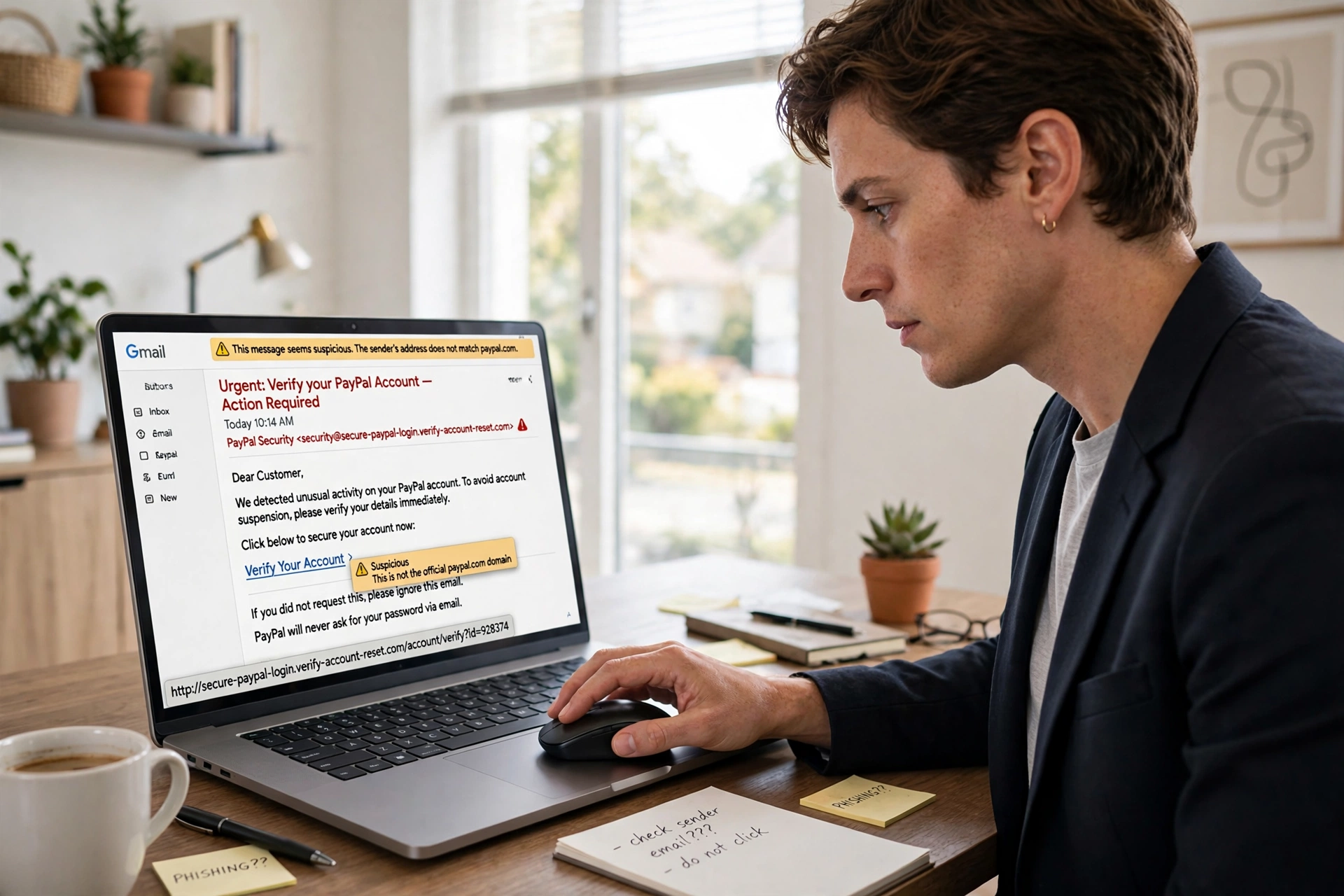
Hover your mouse over any link in the email, or press and hold the link on your phone, to see the real web address. A real link goes to the real site. A fake link goes to a strange domain with extra words or typos, like yourbank-login.com or secure-paypal.net. Never click a link before you check where it goes. Hovering over links is a key part of how to spot phishing emails well.
Step 3: Look for Bad Spelling and Grammar
Phishing emails often have bad spelling, strange grammar, or odd wording. Real firms check their emails before they send them. If an email says “Your acount will be closed” or “Click hear now”, it is almost surely fake. Bad spelling is a strong sign in how to spot phishing emails fast.
Step 4: Watch for Urgent Threats
Phishing emails try to scare you into acting fast. They say “Your account will be locked in 24 hours” or “Pay now or you will be fined”. Real firms do not threaten you by email. If an email makes you feel rushed or scared, stop and check it calmly. Urgent threats are a key part of how to spot phishing emails the safe way.
Step 5: Never Open Strange Attachments
Do not open attachments from senders you do not know, especially files ending in .zip, .exe, or .scr. These files can install malware on your device. If you were not expecting a file, delete the email. If a friend sent you a strange file, ask them first. This step is a key part of how to spot phishing emails for good.
Step 6: Check for Requests for Personal Data
Real banks and tech firms never ask for your full password, bank card number, or PIN by email. If an email asks for these details, it is fake. Go to the real site or app yourself, and never use the link in the email. This step is a key part of how to spot phishing emails safely.
Step 7: Report It and Delete It
If an email looks like phishing, report it as phishing in your email app, then delete it. In Gmail, open the email, click the three dots, and choose Report phishing. Reporting helps your email app block similar fakes for everyone. These small steps are the last step in how to spot phishing emails from start to finish.
How to Tell If an Email Is Phishing: 5 Red Flags
Here is a quick list of the top red flags for how to tell if an email is phishing.
- The sender address does not match the real firm.
- The link goes to a strange domain when you hover over it.
- The email has bad spelling or strange grammar.
- The email threatens you or rushes you to act fast.
- The email asks for your password, bank details, or PIN.
That is how to tell if an email is phishing in seconds. If you see two or more of these red flags, delete the email. If you wonder how to identify phishing emails on your phone, use the same steps: check the sender, press and hold links to see where they go, and look for bad spelling. If you ask what is phishing in simple words, it is a fake email that tries to steal your data. That check is part of how to spot phishing emails on any device.
Phishing Email Examples: What to Watch For
Here are common phishing email examples you may see in your inbox.
- “Your account is locked. Click here to unlock it.” The link goes to a fake login page that steals your password.
- “Your package could not be delivered. Pay a small fee to get it.” The link goes to a fake payment page.
- “You won a gift card. Claim it now.” The link asks for your bank details to claim the prize.
- “Your boss needs gift cards now.” The email pretends to be your boss and asks you to buy gift cards.
- “Your invoice is attached. Open it now.” The attachment installs malware on your device.
That is how to spot phishing emails from real life examples. If an email looks like one of these, delete it. If you want to know how to report phishing email fakes, use the Report phishing button in your email app. If you want to know how to check if an email is legit, go to the real site or app yourself, or call the firm on a number you trust.
Best Habits to Avoid Phishing: What to Use and What to Avoid
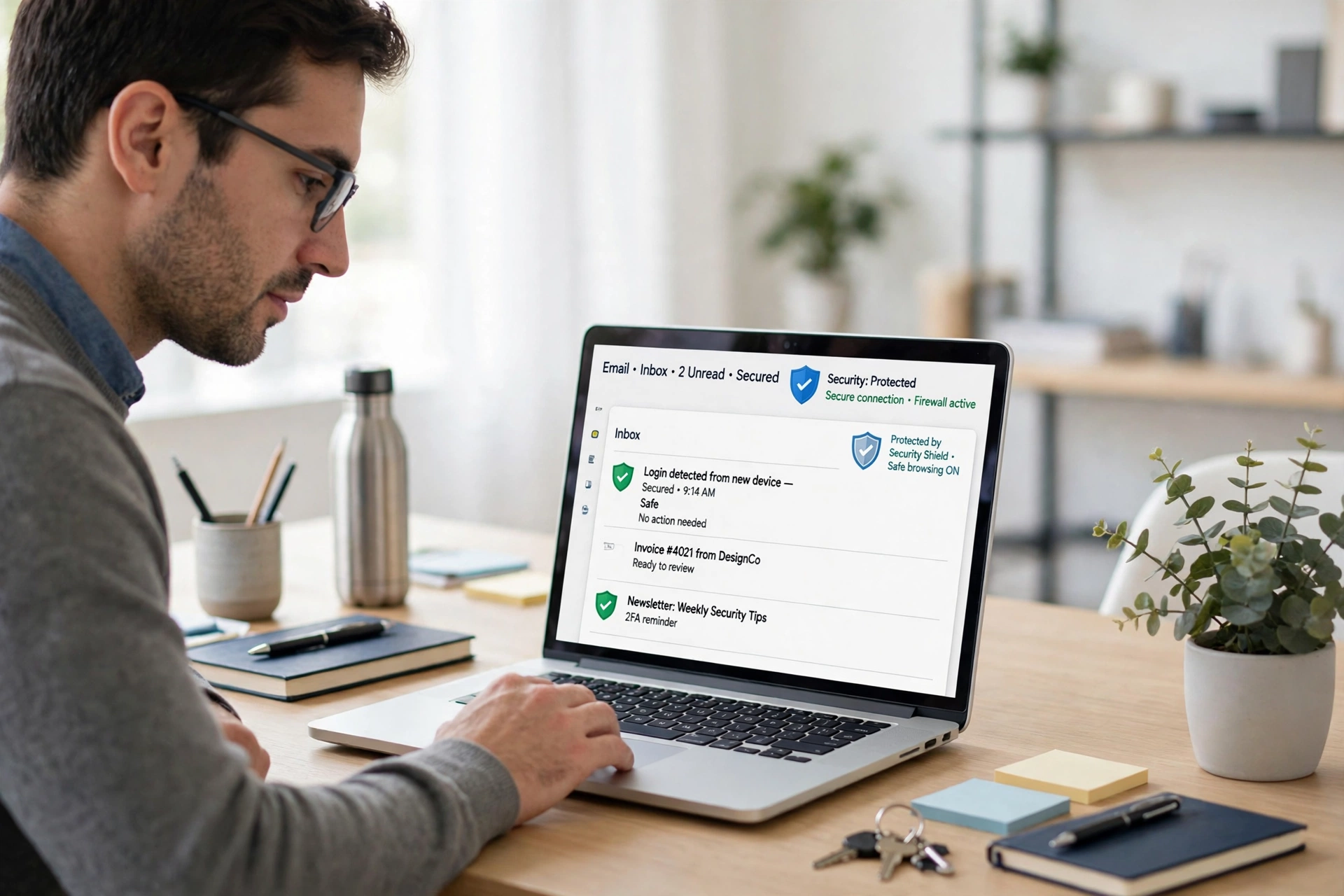
The best habit to avoid phishing is to slow down and check. Here is what to use and what to avoid.
Use: – Two factor auth, on your email and bank accounts – A password manager, so you never type passwords on fake pages – Spam filters, turned on in your email app – The real site or app, typed by hand, not a link from an email – Report phishing, to help block fakes for everyone
Avoid: – Clicking links in strange emails – Opening attachments from senders you do not know – Giving out your password or bank details by email – Trusting an email just because it has a real logo – Acting fast on threats in an email
If you are not sure about an email, check the sender and the link first. That check is a smart step in how to spot phishing emails with the right habits. If you want to know how to avoid phishing emails, slow down and check every strange email before you click. The FTC’s guide to recognizing and avoiding phishing scams lists the same warning signs and reporting steps.
Mistakes to Avoid When You Get a Strange Email
Many people make these mistakes when they learn how to spot phishing emails. Avoid them and your inbox will stay safe. That is the simplest way to learn how to spot phishing emails well.
- Clicking a link before you check where it goes
- Opening an attachment from a stranger
- Replying to a phishing email with your details
- Trusting an email just because it looks real
- Ignoring the sender address and only reading the name
- Forgetting to report phishing emails
How to Spot Phishing Emails: Quick Checklist
Use this checklist every time you get a strange email.
- Check the sender address and domain.
- Hover over links before you click them.
- Look for bad spelling and strange grammar.
- Watch for urgent threats that rush you.
- Never open strange attachments.
- Never give out passwords or bank details by email.
- Report the email as phishing, then delete it.
Frequently Asked Questions
What is a phishing email?
A phishing email is a fake email that tries to trick you into giving away your password, bank details, or personal data. It often looks like it comes from a bank, a delivery company, or a big tech firm. The goal is to get you to click a bad link or open a bad file.
How do I report a phishing email?
In Gmail, open the email, click the three dots, and choose Report phishing. In Outlook, open the email, click the three dots, and choose Report, then Phishing. Reporting helps your email app block similar fakes for everyone.
What should I do if I clicked a phishing link?
If you clicked a phishing link, do not type any details on the page. Close the page, run an antivirus scan, and change your password for the account at risk. If you gave bank details, call your bank right away.
Can phishing emails infect my computer?
Yes, phishing emails can infect your computer if you open a bad attachment or download a bad file. A link alone rarely infects your device, but a fake login page can steal your password. Keep your antivirus updated and never open strange files.
How can I tell if an email is really from my bank?
Check the sender domain, hover over links to see where they go, and look for bad spelling. Real banks never ask for your full password or PIN by email. If you are not sure, go to the bank site or app yourself, or call the bank on a number you trust.
What is the difference between phishing and spam?
Spam is unwanted email, like ads you did not ask for. Phishing is a fake email that tries to steal your data or money. All phishing emails are spam, but not all spam is phishing. Report phishing emails, and mark spam as spam.
Related Guides You May Like
If you liked this guide, try these easy guides from Daily Life Hacks. Learn how to use a vpn to stay safe online, see how to remove malware to clean any device, read how to reset router to fix slow WiFi, check how to format a usb drive to clean up your drive, and see how to remove duplicates in Excel to keep your data clean. You can also read how to polish shoes for a mirror shine on leather, learn how to clean dishwasher filter to keep your dishwasher working well, and see how to wash pillows to keep your bed fresh. Also read how to get water out of your ear, how to stop coughing, how long does a root canal take, how much caffeine is too much, how to learn spanish fast, how to learn japanese, how to learn a new language, how to calculate gpa, how long have humans been on earth, how to practice spanish speaking, how to learn photography, how many states of united states, how many steps in a mile, how to make cold foam, why is my husband yelling at me, and what is a duvet cover. Also read how to fix printer streaks, how to iron a shirt, how to clean a blender, and how to reduce ping. Also read how to make tea, how to remove a splinter, how to clean a hairbrush, and my wife is yelling at me. Also read how many miles is a 5k. Also read how to stop spam emails, how to stop procrastinating, and how to prepare for a phone interview. Also read how to draw anime eyes. You can also browse all our Tech and Computers tips for more simple guides.
Final Thoughts
Learning how to spot phishing emails is easy once you know the golden rule: check the sender, hover over links, and never rush. Bad spelling, urgent threats, and requests for passwords are the biggest red flags. That is all it takes. Now that you know how to spot phishing emails the easy way, your inbox will stay safe. Share this guide with a friend who gets strange emails, because everyone needs to know how to spot phishing emails. Just remember to slow down, check before you click, and report fakes when you see them. Those three rules are the heart of how to spot phishing emails.
About the author
James Wilson writes about cars, tech, and the outdoors for Daily Life Hacks. He tests every tip on his own devices first, so you can trust that it works in real life. More from James Wilson, and see how to set up google alerts, and see how to change default browser to track news online