
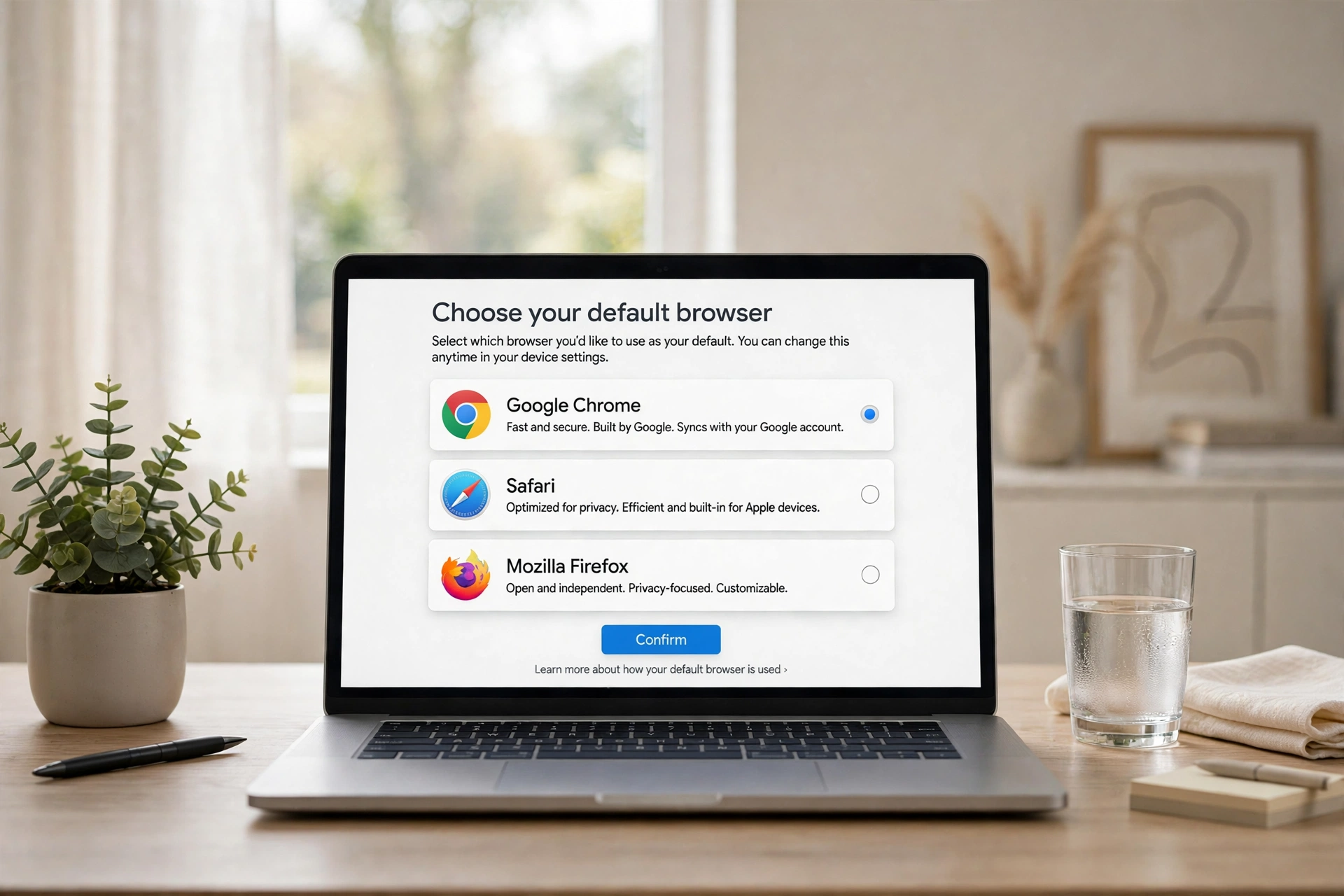
How to Change Default Browser: An Easy Guide for Windows, Mac and iPhone
Quick answer: how to change default browser
Yes, you can change your default browser in a few minutes, and it is easy on Windows, Mac, and iPhone. To learn how to change default browser the easy way, open Settings, go to Default apps on Windows or Default web browser on Mac, pick the browser you want, and save it. The full guide below shows you how to change default browser step by step, so links open in the browser you like best.
What Is a Default Browser and Why Change It?
Your default browser is the app that opens when you click a link in an email, a chat, or a document. Windows often uses Edge, Mac uses Safari, and iPhone uses Safari too. You may want to change it to Chrome, Firefox, or Brave because you like its speed, its extensions, or its sync with your phone. When you change it the safe way, every link opens in the browser you chose. For more easy tech guides, browse our Tech and Computers tips.
What Do You Need?
You do not need special tools to learn how to change default browser. Here is the full list.
- Your computer or phone
- The browser you want to use, installed first
- A few minutes of time
How to Change Default Browser in 7 Easy Steps (Windows)
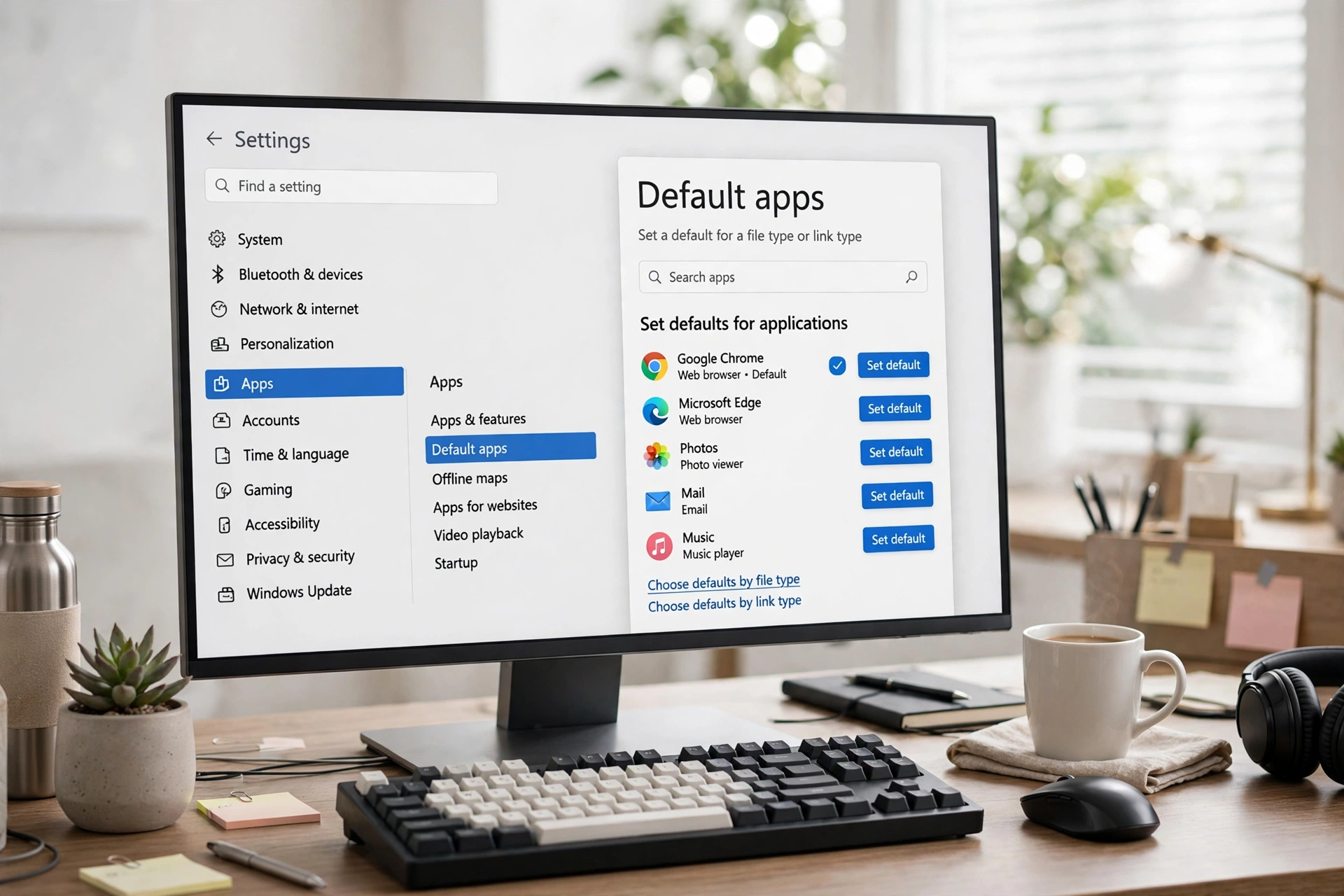
This is the full method for how to change default browser on Windows 10 and 11. Read the steps once, then start.
Step 1: Install the Browser You Want First
Download and install the browser you want to use, like Chrome, Firefox, or Brave. You cannot pick a browser as default until it is installed on your computer. Open it once so it finishes its first setup. Installing first is the first step in how to change default browser safely.
Step 2: Open Settings
Click the Start button, then click Settings. You can also press the Windows key and I together to open Settings fast. This is where Windows keeps all the default app settings.
Step 3: Go to Apps, Then Default Apps
In Settings, click Apps on the left side, then click Default apps. You will see a list of apps and a search box. This page is where you set the default for your browser, email, music, and more.
Step 4: Find Your Browser in the List
Type the name of your browser in the search box, or scroll down the list until you find it. Click the browser name to open its default settings. Make sure you pick the right browser, because this is the one that will open your links.
Step 5: Set It as Default for Web Links
On Windows 11, click Set default at the top of the page. On Windows 10, click the browser under Web browser and pick your browser from the list. This sets your browser as the default for web links. Setting the default is a key part of how to change default browser well.
Step 6: Check File Types and Links
Scroll down and check that your browser is set for .htm, .html, HTTP, and HTTPS. If any of these still show another browser, click them and pick your browser. This step makes sure all links and web files open in your browser. Checking file types is a key part of how to change default browser the right way. Microsoft’s guide to changing default apps in Windows covers the same Default apps steps and file types.
Step 7: Test It with a Link
Click a link in an email or a document and check that it opens in your new browser. If it opens in the old browser, go back to Default apps and set it again. These small steps are the last step in how to change default browser from start to finish.
How to Change Default Browser on Mac
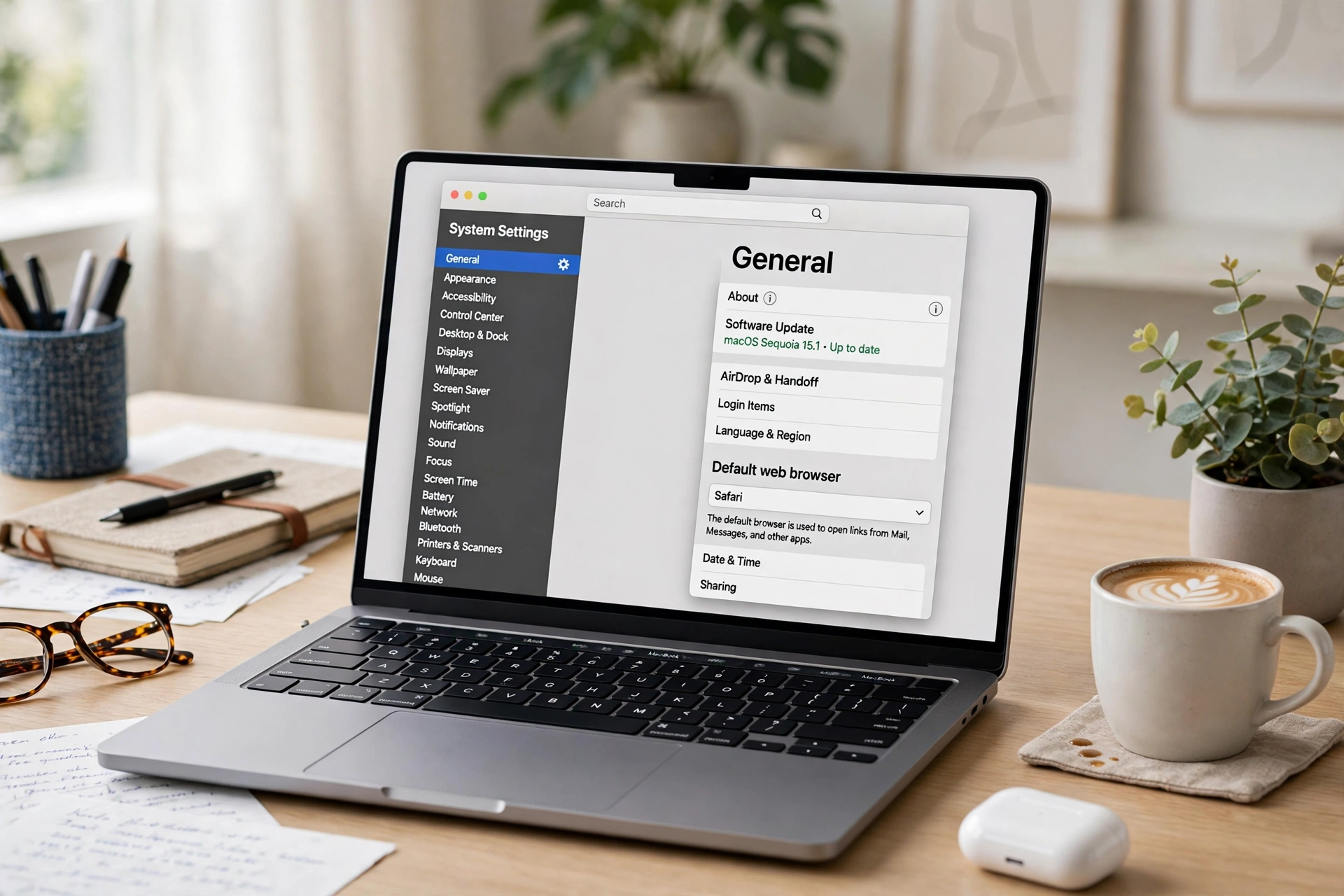
Changing the default browser on Mac is easy. Here is how to change default browser on Mac.
- Install the browser you want, like Chrome or Firefox, and open it once.
- Click the Apple menu at the top left, then click System Settings.
- Click General on the left side, then click Default web browser.
- Pick the browser you want from the list.
- Close System Settings and click a link to test it.
That is how to change default browser on Mac. If you wonder how to set your default browser on an old Mac, go to System Preferences, then General, then Default web browser, and pick your browser there. That menu is part of how to change default browser on Mac the right way.
How to Change Default Browser on iPhone
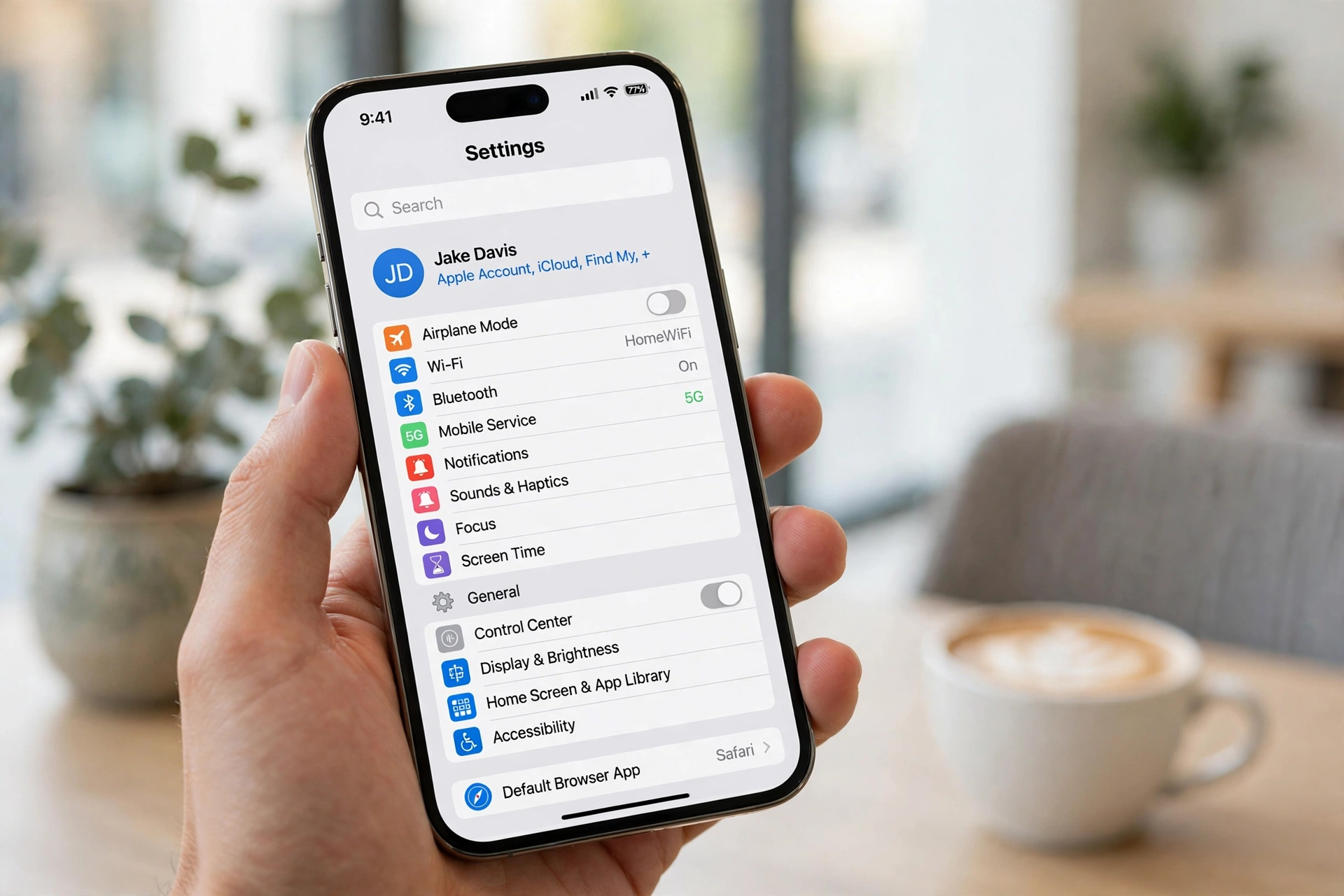
On iPhone, you can change the default browser to Chrome, Firefox, Edge, or Brave. Here is how to change default browser on iPhone.
- Install the browser you want from the App Store and open it once.
- Open Settings, scroll down, and tap the browser app, like Chrome.
- Tap Default Browser App.
- Pick the browser you want from the list.
- Go back and tap a link in an email to test it.
That is how to change default browser on iPhone. If you wonder how to make default browser on iPhone stick, make sure the browser app is updated, because old versions may not show the Default Browser App option. That tip is part of how to change default browser on iPhone the right way.
How to Change Chrome to Default Browser
Chrome is the most used browser, and many people want it as their default. Here is how to change Chrome to default browser.
- Install Chrome and open it once.
- On Windows, go to Settings, then Apps, then Default apps, search for Chrome, and click Set default.
- On Mac, go to System Settings, then General, then Default web browser, and pick Chrome.
- On iPhone, go to Settings, tap Chrome, then Default Browser App, and pick Chrome.
- In Chrome itself, you can also go to Settings, then Default browser, and click Make default.
That is how to change Chrome to default browser on any device. If you wonder how to change default web browser to Chrome fast, use the Make default button inside Chrome, because it opens the right settings page for you.
Best Default Browser: What to Use and What to Avoid
The best default browser is the one that fits how you work. Here is what to use and what to avoid.
Use: – Chrome, for speed and sync with Android and Google – Safari, for speed and battery life on Mac and iPhone – Firefox, for privacy and open source – Brave, for privacy and ad blocking – Edge, for Windows users who like Microsoft tools
Avoid: – Picking a browser you never installed – Forgetting to check file types on Windows – Using an old browser version, which can be slow and unsafe – Ignoring the test link, which shows if the change worked – Changing the default for every app at once, which gets confusing
If you are not sure which browser to pick, try Chrome or Firefox first. If you wonder how to change open with default on Windows, right click a file, choose Open with, then pick your browser and tick Always use this app. That pick is a smart step in how to change default browser with the right app.
Mistakes to Avoid When You Change Default Browser
Many people make these mistakes when they learn how to change default browser. Avoid them and your links will open in the right app.
- Trying to pick a browser that is not installed yet
- Forgetting to click Set default on Windows 11
- Forgetting to check .htm, .html, HTTP, and HTTPS on Windows
- Not opening the new browser once before you pick it
- Skipping the test link, which shows if the change worked
- Changing the default in the wrong settings page
How to Change Default Browser: Quick Checklist
Use this checklist every time you change your browser.
- Install the browser you want and open it once.
- Open Settings on your device.
- Go to Default apps on Windows, or Default web browser on Mac.
- Pick the browser you want from the list.
- On Windows, click Set default and check file types.
- On iPhone, use the Default Browser App option.
- Click a link to test that it opens in the new browser.
Frequently Asked Questions
How do I change my default browser on Windows 11?
Open Settings, then Apps, then Default apps. Search for the browser you want, click it, then click Set default at the top. Check that .htm, .html, HTTP, and HTTPS are also set to your browser, then click a link to test it.
How do I change my default browser on Mac?
Click the Apple menu, then System Settings, then General, then Default web browser. Pick the browser you want from the list. Close System Settings and click a link to test that it opens in your new browser.
Can I change the default browser on iPhone?
Yes, you can change the default browser on iPhone to Chrome, Firefox, Edge, or Brave. Install the browser from the App Store, open Settings, tap the browser app, tap Default Browser App, and pick the browser you want.
Why does my default browser keep changing back?
Your default browser may change back after a system update, or if another browser asks to be default and you click yes by mistake. Go back to Default apps or Default web browser settings and pick your browser again, and say no when other browsers ask to be default.
What is the best default browser?
The best default browser depends on your device and needs. Chrome is best for speed and sync, Safari is best for battery life on Mac and iPhone, Firefox is best for privacy, and Brave is best for ad blocking. Pick the one that fits how you work.
How do I change what app opens links on Android?
On Android, go to Settings, then Apps, then Default apps, then Browser app, and pick the browser you want. You can also set the default when you tap a link and Android asks which app to use, then tap Always.
Related Guides You May Like
If you liked this guide, try these easy guides from Daily Life Hacks. Learn how to set up google alerts to track news online, see how to spot phishing emails to stay safe online, read how to use a vpn to stay safe on public WiFi, check how to remove malware to clean any device, and see how to remove duplicates in Excel to keep your data clean. Also read how to get water out of your ear, how to stop coughing, how long does a root canal take, how much caffeine is too much, how to learn spanish fast, how to learn japanese, how to learn a new language, how to calculate gpa, how long have humans been on earth, how to practice spanish speaking, how to learn photography, how many states of united states, how many steps in a mile, how to make cold foam, why is my husband yelling at me, and what is a duvet cover. Also read how to fix printer streaks, how to iron a shirt, how to clean a blender, and how to reduce ping. Also read how to make tea, how to remove a splinter, how to clean a hairbrush, and my wife is yelling at me. Also read how many miles is a 5k. Also read how to stop spam emails, how to stop procrastinating, and how to prepare for a phone interview. Also read how to draw anime eyes. You can also browse all our Tech and Computers tips for more simple guides.
Final Thoughts
Learning how to change default browser is easy once you know the golden rule: install it first, then pick it in Settings. On Windows, use Default apps and click Set default. On Mac, use Default web browser. On iPhone, use Default Browser App. That is all it takes. Now that you know how to change default browser the easy way, your links will always open in the browser you like best. Just remember to test with a link, check file types on Windows, and say no when other browsers ask to be default. Those three rules are the heart of how to change default browser.
About the author
James Wilson writes about cars, tech, and the outdoors for Daily Life Hacks. He tests every tip on his own devices first, so you can trust that it works in real life. More from James Wilson


